Camera control
Direct a rack focus shot with intent.
Focus transfers between foreground and background planes while the physical camera remains locked. FoxCut packages the spatial instruction as a reusable control so you can focus on the subject, scene, and reason for the move.
Core controls
What Rack Focus AI Camera Movement needs to control.
What the move communicates
Focus transfers between foreground and background planes while the physical camera remains locked.
Composition first
Give the model foreground, midground, background, and a clearly framed subject so the movement has visible spatial evidence.
Control the strength
Start with a moderate value, then raise it only when the movement is too subtle rather than rewriting the complete scene.
Motion test design
Make the rack focus visible enough to evaluate.
The scene is designed as a motion test chart: a stable anchor and readable geometry make it easier to distinguish the requested move from its nearest false positive.
Source scene
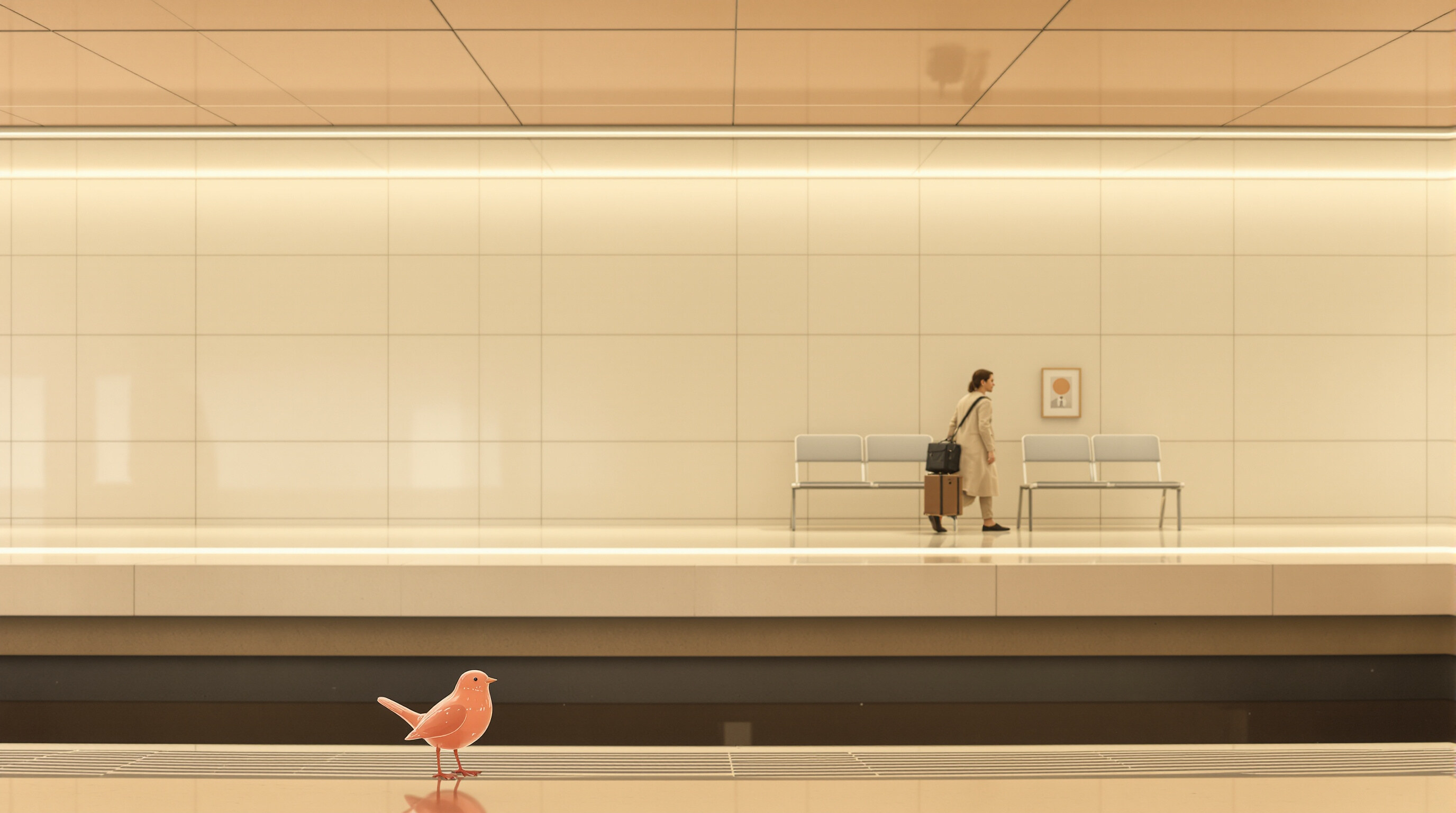
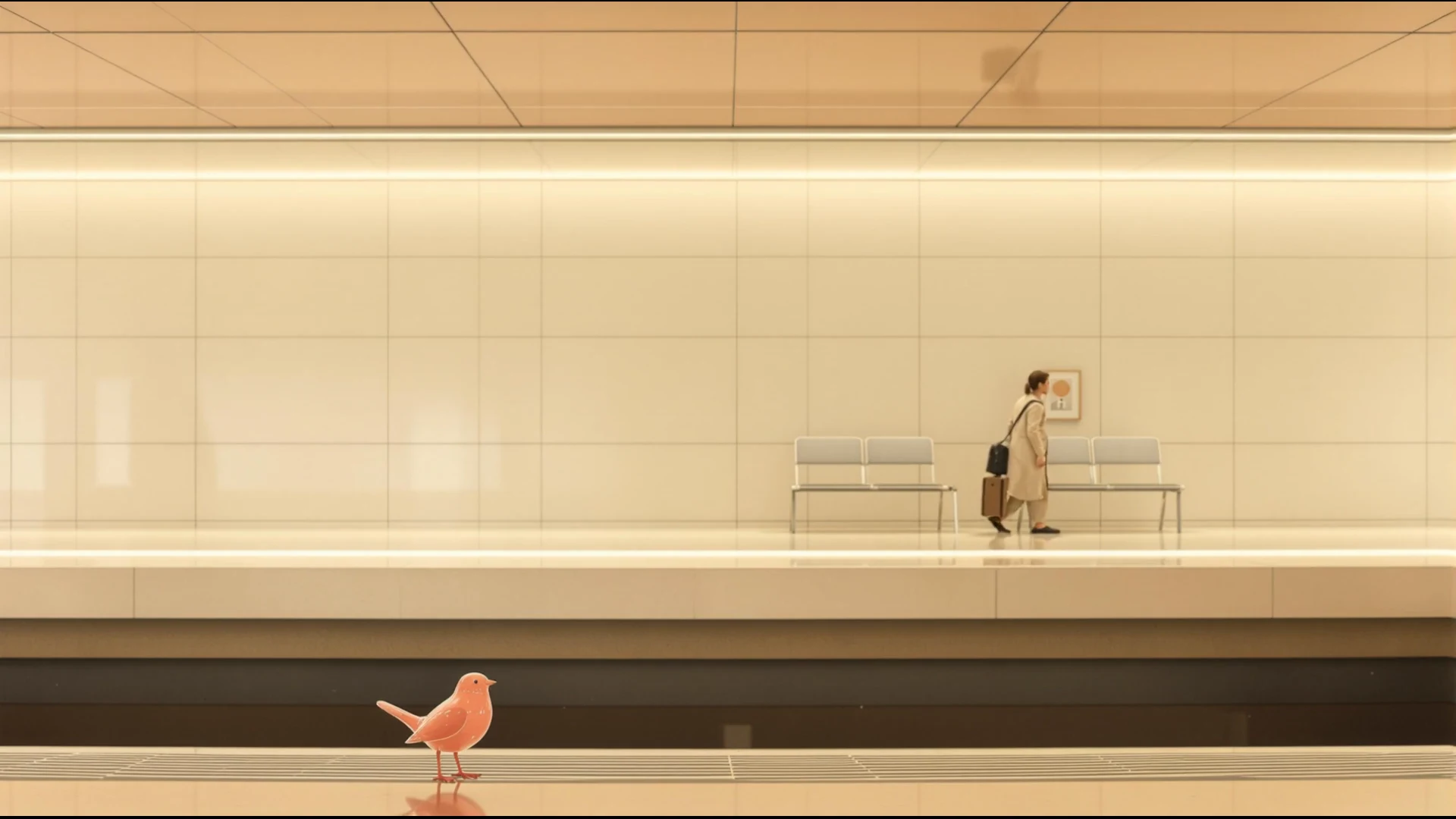
a small coral glass bird in extreme foreground and a fictional adult traveler waiting in deep background on a quiet cream-colored platform, both precisely aligned
Expected evidence
focus shifts clearly from the glass bird to the traveler without camera travel
Control under test
locked camera, focus shifts clearly from the foreground object to the background subject, no camera movement. Preview motion strength: 75%.
Evidence basis, checked 8/28/2026: One generated or validated FoxCut preview with measured duration and explicit expected motion. This is a shot study, not a cross-model benchmark.
Prompt direction
Start with a shot brief, not a keyword pile.
“locked camera, focus shifts clearly from the foreground object to the background subject, no camera movement”
Practical planning
What to decide before using Rack Focus.
a small coral glass bird in extreme foreground and a fictional adult traveler waiting in deep background on a quiet cream-colored platform, both precisely aligned This staging is not incidental: it creates the visual landmarks needed to tell whether rack focus happened physically rather than being imitated by subject movement, reframing, or a digital scale change.
Direct the shot as “locked camera, focus shifts clearly from the foreground object to the background subject, no camera movement”. Keep the scene description separate from that camera instruction, use the recorded preview strength of 75%, and judge the path against this expected evidence: focus shifts clearly from rose to woman without camera travel.
- What the move communicates: Focus transfers between foreground and background planes while the physical camera remains locked.
- Composition first: Give the model foreground, midground, background, and a clearly framed subject so the movement has visible spatial evidence.
- Control the strength: Start with a moderate value, then raise it only when the movement is too subtle rather than rewriting the complete scene.
Quality control
How to review a camera control result.
The nearest false positive for rack focus is a result that creates similar energy without the requested camera mechanics. Protect the subject anchor, horizon, depth cues, and landing frame; if one of those fails, revise that constraint before increasing motion strength.
A useful review follows the workflow in order: stage the scene, then apply the control, then evaluate the camera. Change one variable per comparison so the next render answers a specific question.
- Stage the scene: Choose a subject and environment whose depth and geometry support the intended movement.
- Apply the control: Select Rack Focus, then set duration, strength, aspect ratio, and a compatible video model.
- Evaluate the camera: Review trajectory, subject stability, horizon, parallax, and whether the move reaches a clear ending.
How it works
A practical Camera control workflow.
- Step 1
Stage the scene
Choose a subject and environment whose depth and geometry support the intended movement.
- Step 2
Apply the control
Select Rack Focus, then set duration, strength, aspect ratio, and a compatible video model.
- Step 3
Evaluate the camera
Review trajectory, subject stability, horizon, parallax, and whether the move reaches a clear ending.
Built for real work
Use cases
- Narrative filmmaking
- Commercial direction
- Social and music video
- Previsualization
Continue exploring
Related FoxCut workflows
Questions to resolve
Rack Focus AI Camera Movement FAQ
What should I prepare before using Rack Focus AI Camera Movement?
a small coral glass bird in extreme foreground and a fictional adult traveler waiting in deep background on a quiet cream-colored platform, both precisely aligned This staging is not incidental: it creates the visual landmarks needed to tell whether rack focus happened physically rather than being imitated by subject movement, reframing, or a digital scale change. Start with choose a subject and environment whose depth and geometry support the intended movement.
How should I evaluate the result?
Direct the shot as “locked camera, focus shifts clearly from the foreground object to the background subject, no camera movement”. Keep the scene description separate from that camera instruction, use the recorded preview strength of 75%, and judge the path against this expected evidence: focus shifts clearly from rose to woman without camera travel. Review the output against the intended use, not against a vague idea of visual quality.
What is the most common failure to watch for?
The nearest false positive for rack focus is a result that creates similar energy without the requested camera mechanics. Protect the subject anchor, horizon, depth cues, and landing frame; if one of those fails, revise that constraint before increasing motion strength.
Make the shot. Keep the vision.
Move from prompt to directed generation with camera, character, reference, model, and workflow controls in one studio.
Generate with Rack Focus